Amex Offers Strategy: How to Maximize Targeted Deals (2026)
Amex Offers are targeted, opt-in "spend $X, get $Y" deals inside each Amex card account. Add an offer to a specific card before you pay, then use that card at the merchant; the credit or points post afterward. Add every offer to every card — the same offer often targets multiple cards, and once-per-card means you can redeem it on each one.
On this page▾

Amex Offers are the most-ignored free money in the points game. They are targeted "spend $X, get $Y back" deals that already sit inside your Amex account — you just have to add them before you pay. A heavy user running the Amex trifecta or quadfecta can pull hundreds of dollars a year out of them, stacked on top of normal earn and portal cashback.
This is the 2026 playbook for working Amex Offers like a system instead of stumbling onto them by accident. How they are targeted, the once-per-card-per-offer rule that lets you multiply value across cards, how Offers stack with your earn rate and shopping-portal cashback, the gotchas that silently kill credits, and a weekly routine so you never miss one.
Quick answer
Amex Offers are targeted, opt-in deals shown inside each Amex card account or the Amex app — things like "spend $50, get $10 back" or "spend $200, get 4,000 points." You must ADD an offer to a specific card BEFORE you pay, then use that card at the merchant. The credit or points post after the qualifying purchase.
The single most valuable move: add EVERY offer to EVERY card you hold. Each card has its own offer pool, and Amex frequently targets the SAME merchant offer to several of your cards. Because the rule is once-per-card-per-offer, adding "spend $100, get $20" to four cards can be worth $80 instead of $20 — for the same five minutes of clicking. Offers stack on top of your normal earn rate and any shopping-portal cashback, so a single purchase can pay three ways at once.
TL;DR: Amex Offers are free, targeted, opt-in statement-credit or bonus-points deals inside every American Express card account. The user must enroll ("Add to Card") an offer before paying with that specific card, then make a qualifying purchase at the named merchant. Credits or Membership Rewards points post automatically after the transaction settles, usually within days to a few weeks. Each offer can be redeemed once per card, but the same offer is often targeted to multiple cards on the same login, so enrolling it on each card multiplies the value. Offers stack with the card's base earn rate and with shopping-portal cashback (e.g. Rakuten). They are targeted (not everyone sees the same offers) and they expire, so the user should add new offers to every card every week.
At a glance — types of Amex Offers
| Offer type | Example | How the reward arrives |
|---|---|---|
| Spend threshold, statement credit | Spend $50, get $10 back | Statement credit after qualifying spend |
| Spend threshold, bonus points | Spend $200, get 4,000 Membership Rewards points | MR points posted to your account |
| Percentage back | Get 20% back on purchases, up to $40 | Statement credit, capped |
| Multi-use / additive | Get $5 back each time you spend $25, up to 4 times | Multiple credits up to the cap |
| Flat dollar at a brand | Spend $100, get $25 back at a retailer | Single statement credit |
How Amex Offers actually work
An Amex Offer is a deal Amex pre-loads into your card account in partnership with a merchant. You see them in two places: the Amex app (tap a card, scroll to "Amex Offers & Benefits") and the online account on americanexpress.com. Each is a tile: a logo, a one-line deal ("Spend $75 or more, get $15 back"), an expiration date, and an Add to Card button.
Three things have to happen, in order, for the money to land:
- Add the offer to the card before you pay. Clicking "Add to Card" enrolls that specific card. An offer you did not add will not trigger, even if you shop at the merchant.
- Pay with that exact card at the merchant the offer names. Use the wrong card and nothing posts.
- Wait for it to settle. The statement credit or points post automatically after the transaction clears — usually within a few days, sometimes up to 90 days for the credit to appear.
The credit shows up as a separate line on your statement (e.g. "Amex Offer Credit"). It does not reduce the purchase at checkout — you pay full price, then get money back later.
Why they are targeted
Amex Offers are targeted, meaning Amex decides which offers each card sees based on your spend history, the card product, and internal modeling. Two people with the same card can see completely different offers. You with a Amex Gold and a Amex Platinum will likely see two different offer pools even on your own login — one reason the Amex Gold and Platinum together cover far more targeted deals than either card alone — if you are deciding which of the two to start with, our Amex Gold vs Amex Platinum comparison breaks down the earn and credit differences side by side. This is exactly why you check every card individually — you are not looking at one shared list.
The once-per-card-per-offer rule
Each offer can be redeemed once per card. Spend the threshold once and the credit posts once; a second purchase on the same card does nothing (unless the offer is explicitly multi-use, like "$5 back each time you spend $25, up to 4 times").
The lever that makes this strategy pay: the same offer is frequently targeted to multiple cards on your account. If "Spend $100, get $20 back" appears on your Gold, your Platinum, and your Blue Cash Preferred, you can add it to all three and redeem it three times — once per card — by routing three separate $100 purchases. That turns a $20 offer into $60. It is the closest thing to free money in this hobby, and it costs nothing but the clicks.
Stacking: earn + offer + portal
A single qualifying purchase can pay you three ways at once. Picture buying $200 of qualifying goods at a merchant where you hold a "Spend $200, get $40 back" offer on your Blue Cash Preferred:
| Layer | What you get on a $200 purchase |
|---|---|
| Amex Offer credit | $40 statement credit |
| Card base earn (say 3% category) | ~$6 in rewards |
| Shopping-portal cashback (e.g. 5% via a portal) | ~$10 |
| Total back | ~$56 on $200 = 28% |
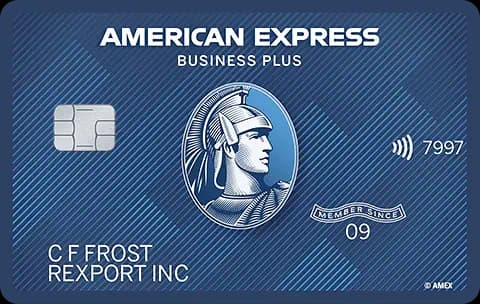
The three layers are independent. The Offer credit comes from Amex, the earn comes from your card's rewards program, and the portal cashback comes from the shopping portal you clicked through (Rakuten, the Amex shopping portal, etc.). None cancels the others. To capture all three, click through the portal first, then check out paying with the card that has the offer added. Cards like the Amex Blue Business Plus — which earns 2x Membership Rewards on all purchases — make the earn layer especially valuable on top of any Offer credit.
A weekly routine to never miss free money
Offers expire and rotate constantly, and they are targeted — if you do not look, you do not see them. A five-minute weekly pass is all the system needs.
Step by step
- Open the Amex app (or log in online). Have every card you hold on the same login if possible — it makes the sweep faster.
- Select your first card. Go to "Amex Offers & Benefits."
- Tap "Add to Card" on every offer you might conceivably use. There is no downside to adding an offer you never redeem — it just sits there. Add them all. Aim to add 100% of the tiles, not the few that look obviously useful.
- Switch to the next card and repeat. This is where the value is. Add the same and different offers across each card. A Amex Green and a Blue Business Plus will surface their own pools.
- Note any offer worth planning around — a "Spend $200, get $50" at a store you were going to hit anyway. Pull that purchase onto the card with the offer.
- Before any big purchase, check first. Make adding offers a reflex before you shop a major retailer, book travel, or buy electronics. Thirty seconds of checking can be a $25 swing.
- Repeat every week. New offers drop continuously; old ones expire. Weekly cadence catches the rotation without it becoming a chore.
A reader with four Amex cards who runs this sweep weekly and routes spend to match the offers can realistically capture several hundred dollars a year — money that is invisible to anyone who never opens the offers tab. Even a lower-annual-fee card like the Amex Green can add a unique pool of targeted deals that your Gold and Platinum do not see.
Common mistakes
- Shopping before adding the offer. The most common and most painful error. Adding the offer AFTER you pay does nothing — the enrollment has to come first. No retroactive credit.
- Paying with the wrong card. You added "Spend $100, get $20" to your Gold, then paid with your Platinum out of habit. Nothing posts. The offer is bound to the exact card you added it to.
- Adding it to only one card. Leaving the same offer un-added on your other cards throws away the multiplier. Add it everywhere it appears.
- Assuming the offer pools are shared. They are not. Each card has its own targeted set. Checking one card and assuming you have seen everything misses most of the value.
- Missing the cap or minimum. "20% back, up to $40" caps the credit at $40 no matter how much you spend; "Spend $75, get $15" pays nothing if you only spend $70. Read the fine print on the tile.
- Returning the item. If you return the purchase and drop below the threshold, Amex can claw the credit back. Keep qualifying spend above the minimum after any partial return.
- Letting offers expire unused. Targeted offers disappear on their expiration date. The weekly sweep exists to catch them before they roll off. If you're weighing whether a card is worth keeping, check what retention offers Amex will give you before canceling — you may get targeted statement credits on top of regular Offers.
- Forgetting to click the portal first. If you want the third stacking layer, the shopping-portal click has to happen before checkout, not after.
Bottom line
Amex Offers are the highest return-on-effort move available to any Amex cardholder, and most people leave the money on the table simply by never opening the tab. Add every offer to every card, treat the same offer across multiple cards as a multiplier rather than a duplicate, and stack the credit on top of your base earn and a shopping-portal click. Build the five-minute weekly sweep into your routine, check before every meaningful purchase, and watch the caps, minimums, and expiration dates. Done consistently, this is the difference between a Amex Gold that earns its keep and one that quietly costs you a few hundred dollars a year you could have clawed back for free.
Get weekly card offer alerts
Sunday digest of elevated bonuses. One email, zero spam.
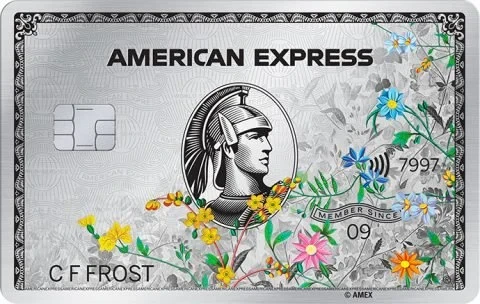
Cards mentioned in this guide

Frequently asked questions
Do I have to add an Amex Offer before I pay, or can I add it afterward?
Can the same Amex Offer be used on more than one of my cards?
Do Amex Offers stack with my card’s earn rate and shopping-portal cashback?
Why do I see different Amex Offers than my friend with the same card?
How long do Amex Offer credits take to post?
Related guides
Related news

amex · Jun 9, 2026
Amex Renames Green Card to "Classic Green" August 2026 — What Changes (Spoiler: Almost Nothing)

industry · Jun 6, 2026
Apartment Collection by Hilton

amex · Jun 2, 2026
Amex 30% Avios Transfer Bonus: 1,000 MR = 1,300 Avios, Ends ~June 21 2026

airlines · Jun 2, 2026
Aeroplan 2026: SQC Status and June 1 Devaluation
Cards in this ecosystem



Considering switching?