Business Credit Card Expense Management: Tools, Strategies & Best Practices for 2026
How to build a system that keeps business expenses organized automatically: receipt capture, accounting integrations, virtual cards, and the monthly reconciliation routine.
On this page▾

Topic Collection
Part of the Business Credit Cards Collection
Explore all 39 articles
Quick answer
Business credit card expense management is the difference between a tax season that takes days and one that takes weeks. The owners who spend the least time on bookkeeping at year-end are not the ones who are most organized — they are the ones who built systems that keep expenses organized automatically throughout the year. The right card, the right software, and a monthly reconciliation routine does most of the work.
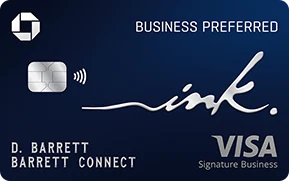
TL;DR: Key tools for business credit card expense management in 2026: Expensify and Dext for receipt capture, QuickBooks Online and Xero for accounting with direct card feeds, Wave for free solo-owner accounting, virtual cards (Amex, Capital One) for vendor/subscription fraud prevention. Best cards with built-in expense tools: Amex Business Gold (QuickBooks integration, year-end reports, per-employee spend reports), Amex Business Platinum (full expense management suite), Ink Preferred (direct accounting software integration), Spark Cash Plus (simple 2% flat rate reduces categorization complexity).
Strategy 1: One card per spending category
The simplest expense management framework for small businesses is one card per major spending category. This avoids the need for complex tagging and makes category P&L analysis immediate.
Example setup:
- Travel card: Ink Preferred — all flights, hotels, and car rentals earn 3x (see our Chase Ink cards guide for how to pick the right Ink card)
- Everyday/advertising card: Amex Business Gold — US advertising and software earn 4x automatically
- Employee expenses card: A flat-rate card like Spark Cash Plus for miscellaneous team purchases
The benefit: when you pull the statement for each card, you already have a rough categorization. Card 1 = travel. Card 2 = marketing and software. Card 3 = miscellaneous. Your accountant can import three files and be mostly done. For a deeper look at how to separate business and personal expenses, we have a dedicated guide.
The downside: more cards to track. For most small businesses, 1–2 cards is enough.
Strategy 2: Receipt capture at the point of purchase
The number-one source of year-end accounting pain is missing receipts. The IRS requires substantiation for business expenses — particularly for travel and entertainment over $75 — and receipts you did not capture in the moment are receipts you will spend hours reconstructing later.
Expensify
Expensify is the most widely used receipt-capture app for businesses. The workflow:
- Employee makes a purchase on the company card
- Employee opens Expensify, photographs the receipt
- Expensify OCR reads the receipt (merchant, amount, date)
- Expensify matches the photo to the card transaction
- The transaction now has a receipt attached — permanently
Expensify integrates directly with QuickBooks, Xero, Sage, and NetSuite. Monthly cost: from $5/user/month for teams.
Dext (formerly Receipt Bank)
Dext is Expensify's main competitor and is particularly strong for businesses with high volumes of small receipts — contractors, field-service companies, restaurants. Receipts can be submitted via mobile app, email, or auto-fetch from suppliers. Dext feeds directly into QuickBooks and Xero.
Built-in card receipt capture
American Express business cards offer Amex Receipts, which lets you upload receipts directly in the Amex mobile app and attach them to specific transactions. For small teams that do not want a separate expense app, this is a convenient built-in option — and savvy Amex holders can stack savings with Amex Offers for business spending.
Strategy 3: Direct card feed to accounting software
The most time-saving integration in business accounting is the direct bank feed — a live connection between your credit card account and your accounting software that automatically imports every transaction as it posts.
| Card | QuickBooks | Xero | Wave |
|---|---|---|---|
| American Express business cards | ✓ Direct feed | ✓ Direct feed | ✓ |
| Chase Ink cards | ✓ Direct feed | ✓ Direct feed | ✓ |
| Capital One Spark cards | ✓ Direct feed | ✓ Direct feed | ✓ |
Once the feed is connected, transactions appear in your accounting software within 24–48 hours of posting. You review and categorize — QuickBooks learns your categorization patterns and begins auto-categorizing repeat merchants over time.
Time saved: Most business owners report saving 2–4 hours per month on bookkeeping once a direct feed is set up.
Strategy 4: Monthly reconciliation — the 30-minute routine
Expense management fails when owners treat it as a quarterly or annual exercise. The right cadence is monthly, and it takes 30–60 minutes if you stay current.
Monthly reconciliation checklist:
- Sync or download the month's transactions to your accounting software
- Categorize uncategorized transactions — the first month takes longest; QuickBooks auto-learns for subsequent months
- Add notes for meals — who attended, business purpose (required for deduction)
- Flag personal expenses that ended up on the business card and document them
- Verify receipts are attached for transactions over $75
- Reconcile the card balance — your accounting software total should match the card statement closing balance
- Export a monthly P&L — scan for anomalies and category drift
A monthly P&L review also catches fraud early. A $47 subscription that auto-renewed unexpectedly shows up in month two, not in year-end audit season. Our guide on using a business card for taxes covers the documentation requirements in detail.
Strategy 5: Virtual cards for subscriptions
Virtual cards are one-time or recurring card numbers issued by your credit card provider that charge to your real account but use a different card number for each vendor. This is a critical fraud-prevention and expense-management tool.
Why virtual cards matter:
- Vendor data breaches — if a subscription vendor's database is breached, your real card number is not exposed
- Subscription management — each vendor gets a unique virtual card number, making it trivial to cancel a single vendor (disable that virtual card) without disrupting other subscriptions
- Per-vendor spending caps — set a monthly maximum on each virtual card to prevent overcharging
American Express business cards support virtual card numbers via the Amex website. Capital One offers Eno, a browser extension that generates virtual cards. For businesses running dozens of SaaS subscriptions, virtual cards turn what would be a quarterly "what is this charge?" audit into a clean, vendor-by-vendor ledger. If you're evaluating which card to anchor this setup on, our Amex Business Gold review covers its expense management integrations in full.
Strategy 6: Setting employee card limits
Employee cards without spending limits are a liability. Every major issuer allows you to set per-employee monthly spending caps — the strategic side of this is covered in our employee cards strategy guide.
| Card | Employee limit control |
|---|---|
| Amex Business Gold | Custom monthly limit per employee card |
| Amex Business Platinum | Custom monthly limit per employee card |
| Ink Preferred | Custom credit limit per employee card |
| Spark Cash Plus | Monthly spending limit per employee card |
Best practice for employee card limits:
- Set the limit to 110–120% of expected monthly spend (gives flexibility without excessive exposure)
- Review employee card spend monthly in your reconciliation routine
- Flag any employee spending in unusual categories (e.g., entertainment on a card designated for office supplies)
Year-end reporting: what to export for your accountant
At year-end, your accountant needs a clean expense summary to file your business taxes — if you haven't yet set up a dedicated card, see our roundup of best no-annual-fee business cards as a cost-free starting point. Here is what to prepare:
- Annual spending report by category — available as a download from most major card issuers
- Employee card spending summary — shows per-employee totals by category
- Accounting software export — a full-year transaction export from QuickBooks, Xero, or Wave, categorized and reconciled
- Receipt documentation — Expensify or Dext report with receipts attached to all transactions over $75
The Amex Business Gold and Amex Business Platinum both provide detailed year-end spending summaries broken down by employee card and category — one of the most useful end-of-year tools offered by any business card issuer.
Putting it together: recommended setup by business size
| Business size | Card | Receipt tool | Accounting software |
|---|---|---|---|
| Solo / 1–2 employees | Amex Business Gold or Spark Cash Plus | Amex Receipts or Expensify | Wave (free) or QuickBooks Simple Start |
| Small team (3–10) | Amex Business Gold + Ink Preferred | Expensify | QuickBooks Online |
| Mid-market (11–50) | Amex Business Platinum with employee cards | Dext | QuickBooks Online or Xero |
| Large team (50+) | Multiple cards + virtual card program | Dext or Concur | NetSuite or Xero |
Get weekly card offer alerts
Sunday digest of elevated bonuses. One email, zero spam.
Cards mentioned in this guide



Frequently asked questions
What is the best receipt capture app for business credit card expenses?
How do virtual cards help with business expense management?
How often should I reconcile my business credit card expenses?
Related guides
Strategy
Employee Cards Strategy: How to Maximize Business Credit Card Rewards in 2026
10 min
Card Roundups
Best Business Credit Cards for Multiple Employees in 2026
10 min
Card Roundups
Best Business Credit Cards for Points & Rewards 2026
14 min
Card Roundups
Best Business Credit Cards for Companies With Employees in 2026
10 min
Related news

chase · Jun 10, 2026
Chase Hyatt Transfer Ratio 4:3: What It Means for Sapphire Preferred and Ink Business Preferred

chase · Jun 10, 2026
Chase to Virgin Atlantic: 30% Transfer Bonus — Book Delta Business Class for 18,000 Points

airlines · Jun 4, 2026
Alaska Atmos Members Day Launched

hyatt · Jun 3, 2026
Hyatt Added Perk for Globalists, Explorists and Cardholders